Case study
OAC
Remote account opening for a CEMAC bank: identity, biometrics, screening, a risk decision and a signed agreement. Public demonstration, simulated banking services, hash-chained audit trail.
- Client
- Think Dev
- Years
- 2026 – present
- Domain
- FintechSecurity
01
Context
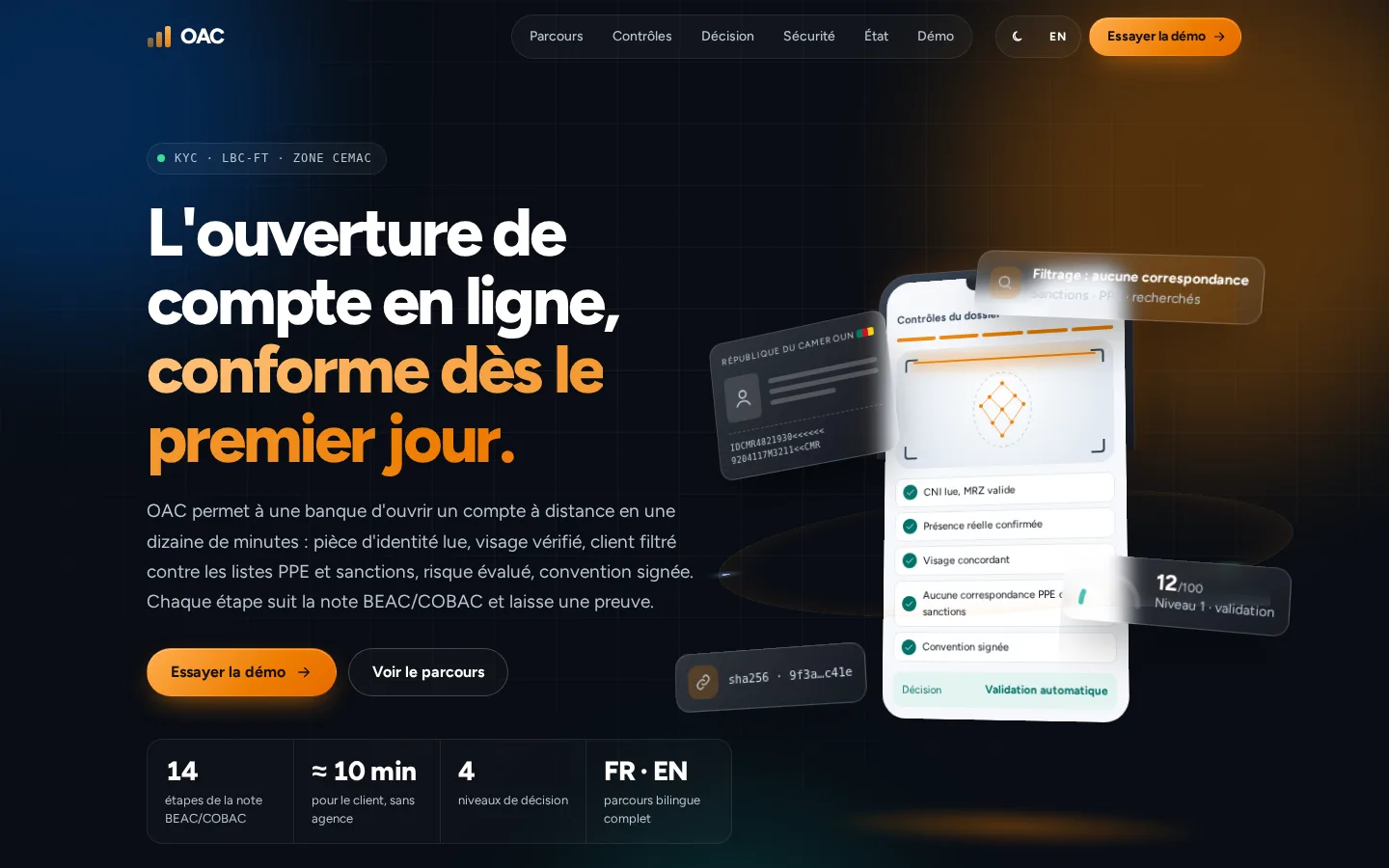
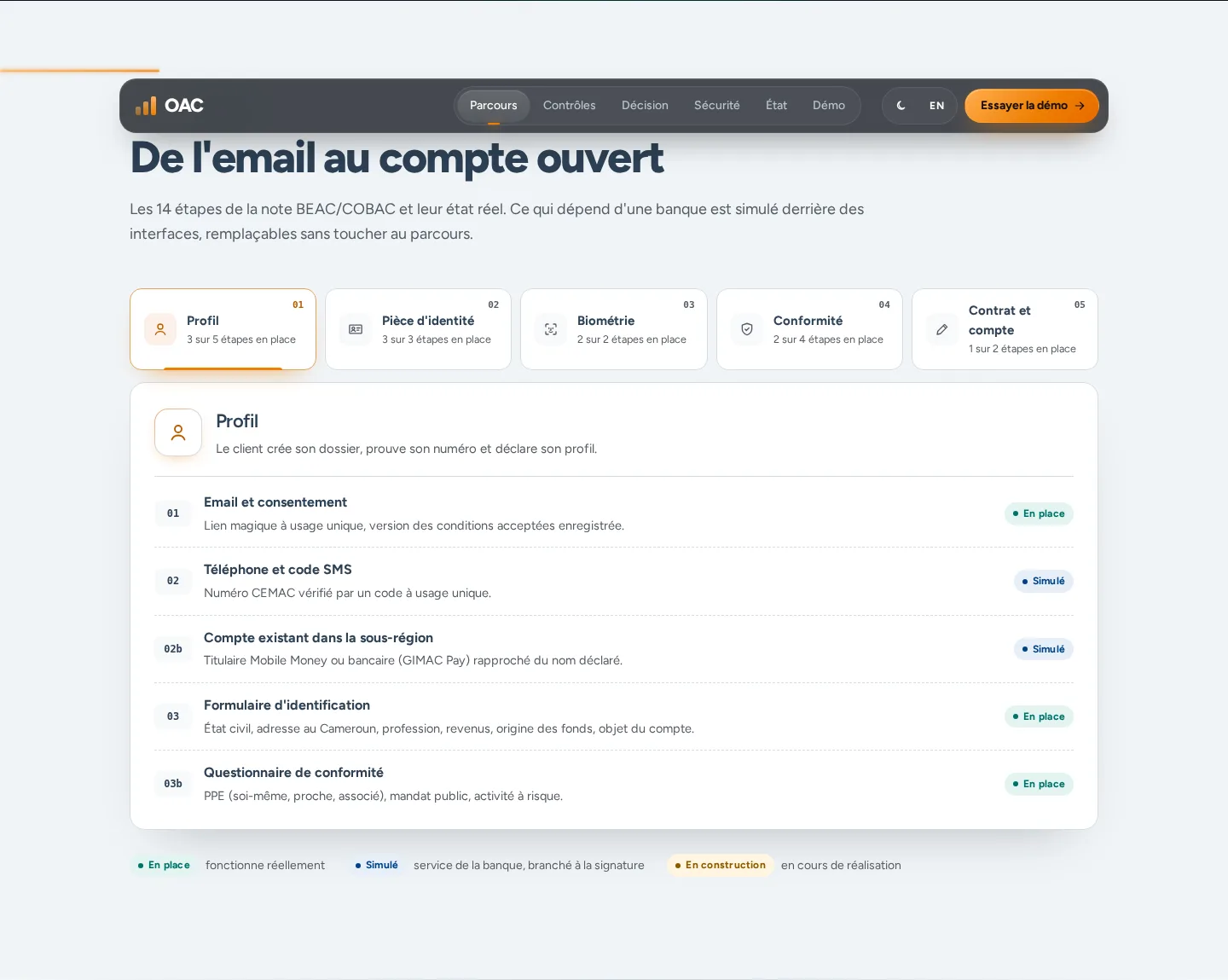
OAC is a remote account-opening journey for banks in the CEMAC zone. The customer starts from an email and continues through to a decision: phone, profile, identity document, selfie, questionnaire, signature, then application tracking. The public demonstration states that no real bank is associated with it. Think Dev designed and built it.
02
Problem
An account opened without a branch appointment has to establish who the customer is, screen them, and keep a record the bank can read years later. Part of that work depends on services the bank connects itself — SMS, mobile money, the payment-incident register, human review, core banking — and those services are not all available while the journey is being built.
03
What I did
I designed and built the product: the marketing site, the bilingual journey, the application state machine, the audit trail, document reading, biometrics, the decision engine and signing. Each step on the marketing site says whether it already runs in the application or still waits for a bank service.
04
Key technical decisions
One place that changes an application’s status
Statuses and allowed transitions are explicit.
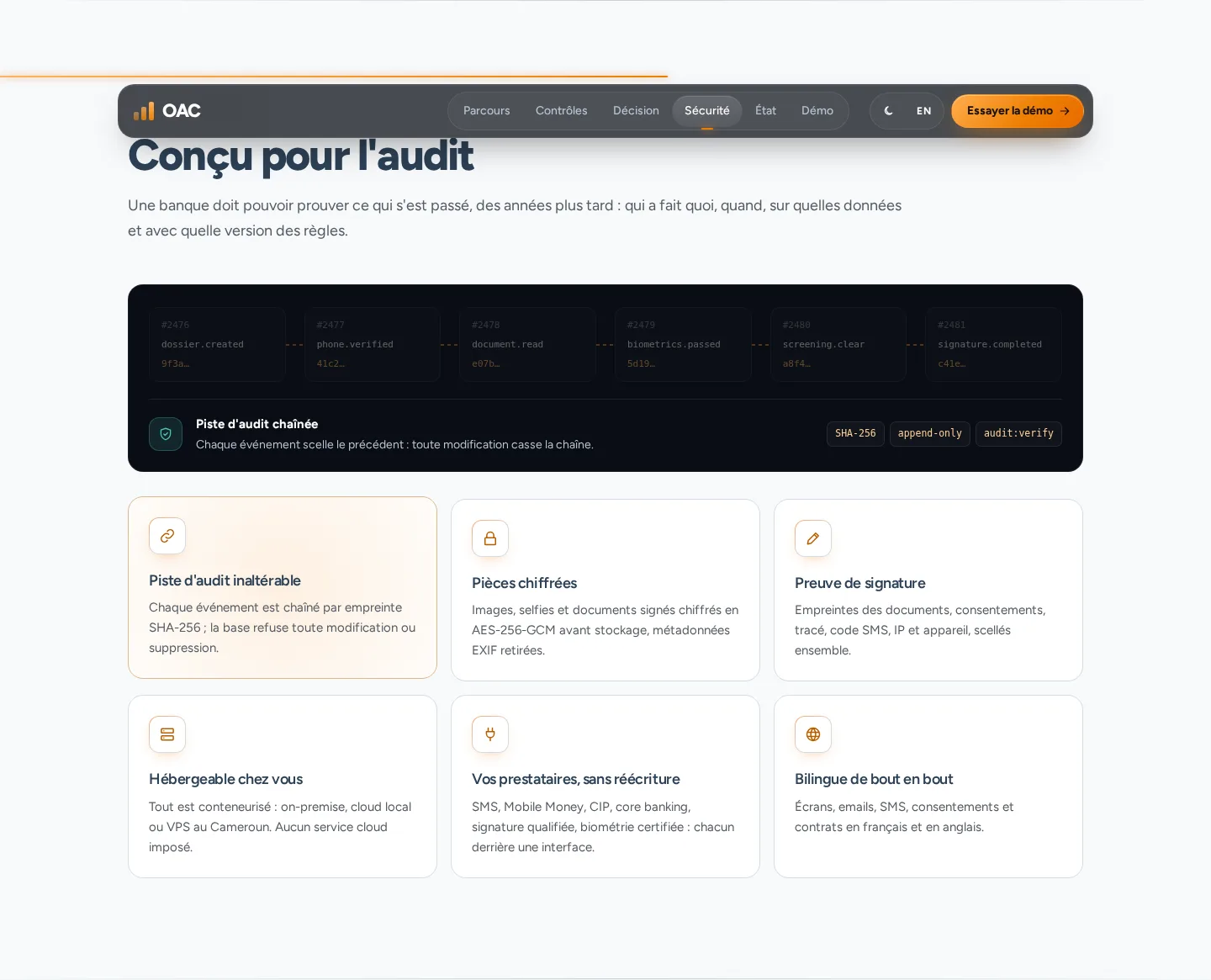
transitionDossier()is the only place a status changes, and every change writes an event. The trail is chained with a SHA-256 hash; the audit table is protected in the database against updates and deletes.Connect bank services without rewriting the journey
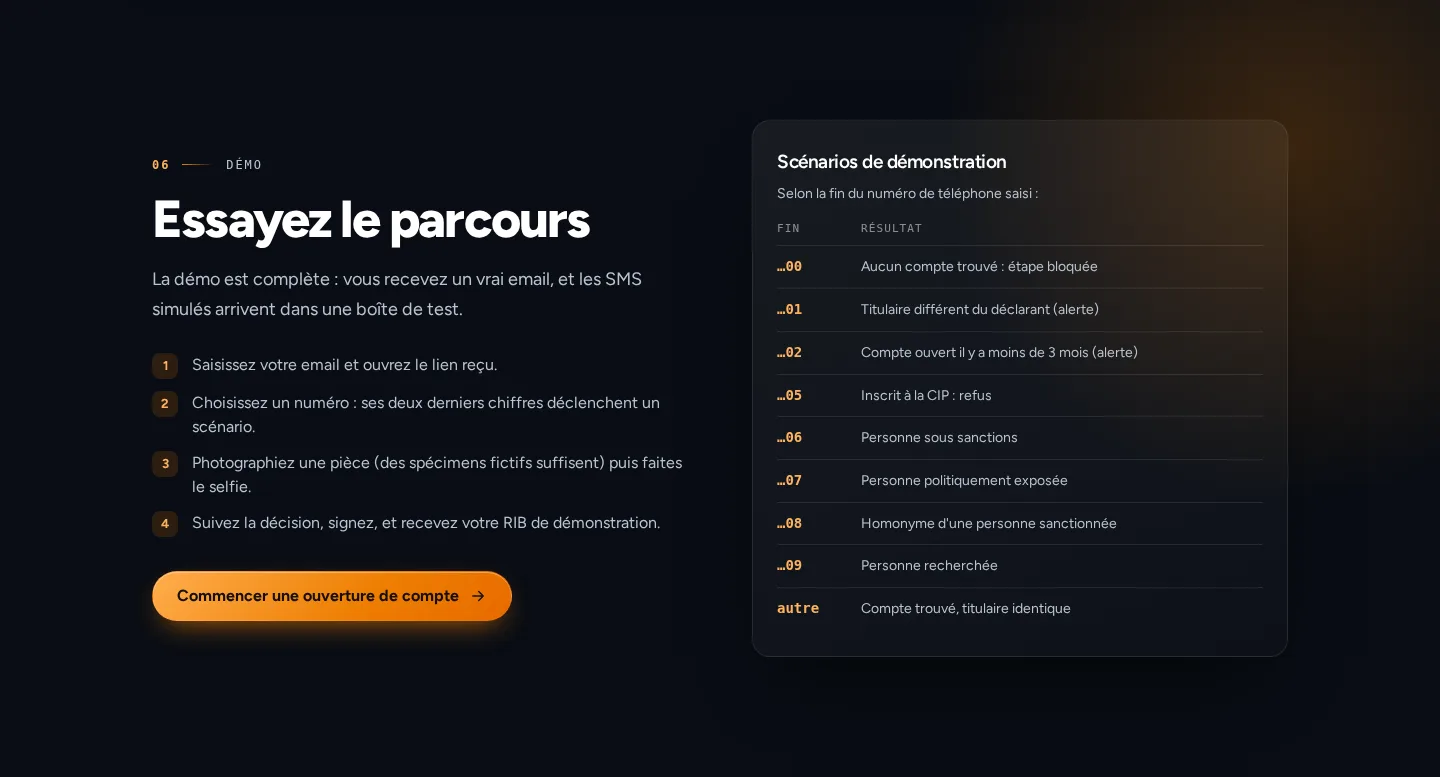
SMS, the mobile-money or bank registry, the payment-incident register, compliance review and core banking sit behind interfaces. In the demonstration those services are simulated. The end of the phone number selects the scenario: no account, a different holder, a sanctioned person, a politically exposed person, and the other prepared cases.
Read the document and check the face inside the application
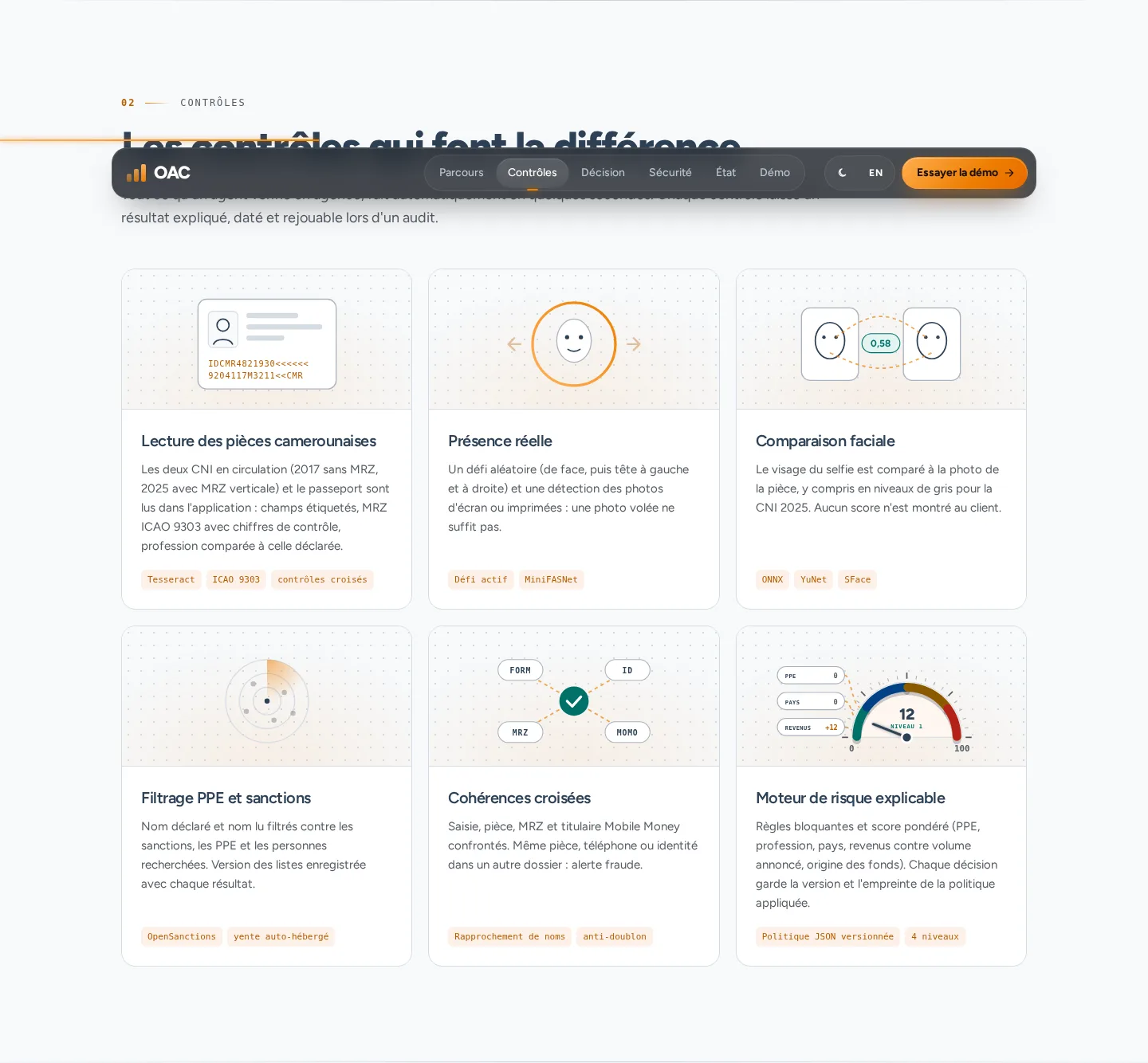
Document reading uses Tesseract, including the MRZ when one is present. The selfie uses open models running on the server (YuNet, SFace, MiniFASNet): one face, a requested movement, then a comparison with the document photo. A provider can replace these pieces later. The open models are not a certified biometric system.
Decide from a versioned policy
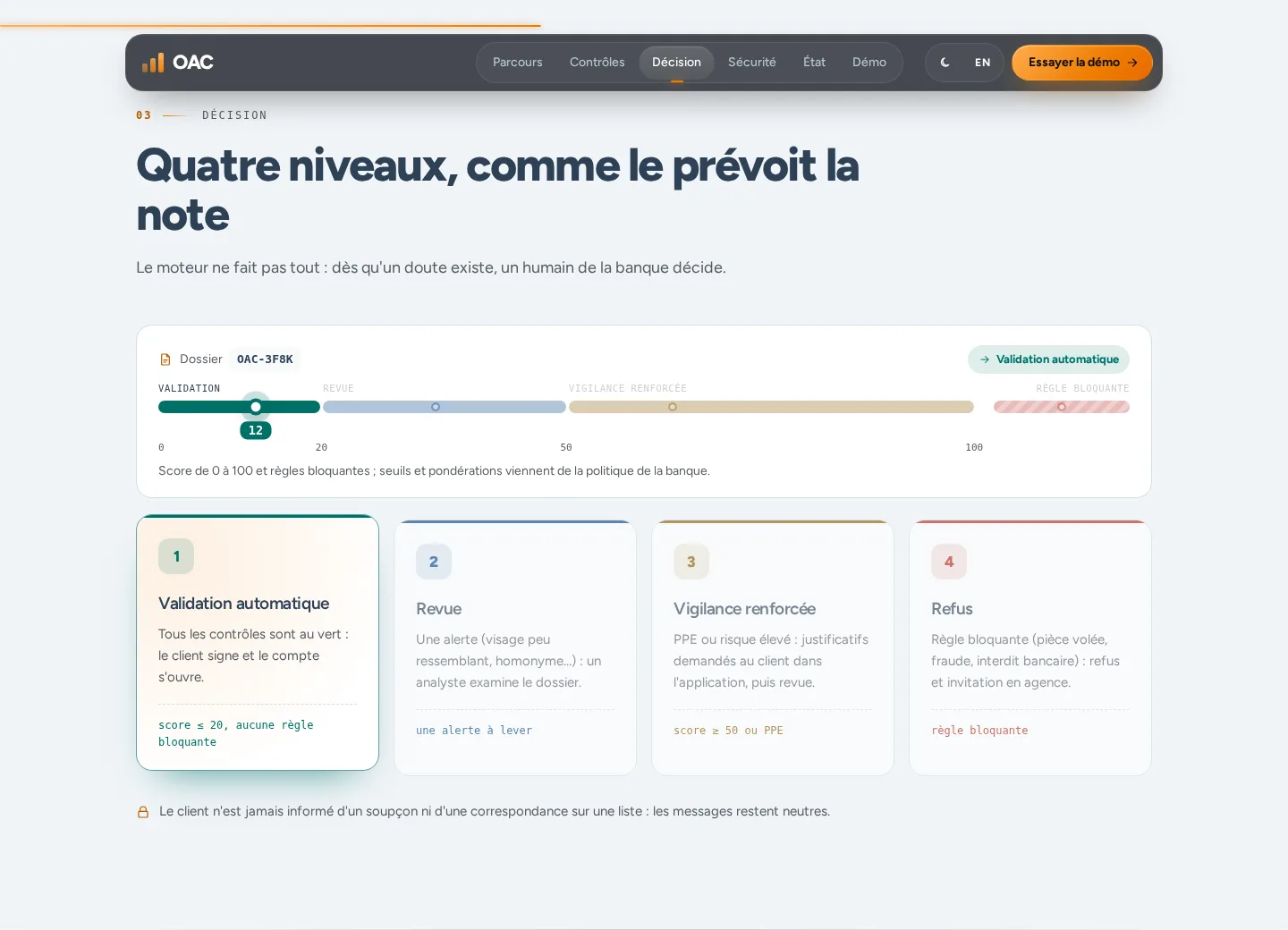
The risk policy is a file read again for every decision. The engine distinguishes automatic approval, review, enhanced due diligence and refusal. The customer sees the state of the application. They do not see screening matches.
Sign on the page, and keep the proof
The account agreement and the KYC form are generated as PDFs in the customer’s language. Signing requires the documents to be read, a drawn signature and an SMS code, then a seal over the fingerprints. This is a simple electronic signature. The agreement shipped with the product is a provisional text and can be replaced without a redeploy.
05
Result
The demonstration brings together the marketing site and the journey up to document capture, with a fictional bank and demonstration data. Document reading, biometrics, the decision, signing and the simulated account opening are implemented in the application. The captures show neither a real identity document, nor a face, nor an account opened at a bank.
06
Stack
- Nuxt 4
- Vue
- TypeScript
- PostgreSQL
- Drizzle
- Tesseract
- ONNX Runtime
- Docker
07
Screens
Open Website(opens in a new tab)